
Getting started with TrendShort
Create your first short-drama project, enter Studio, and export a reviewable cut without getting lost in every advanced setting.
Interface overview
Understand the entry point before following the steps.
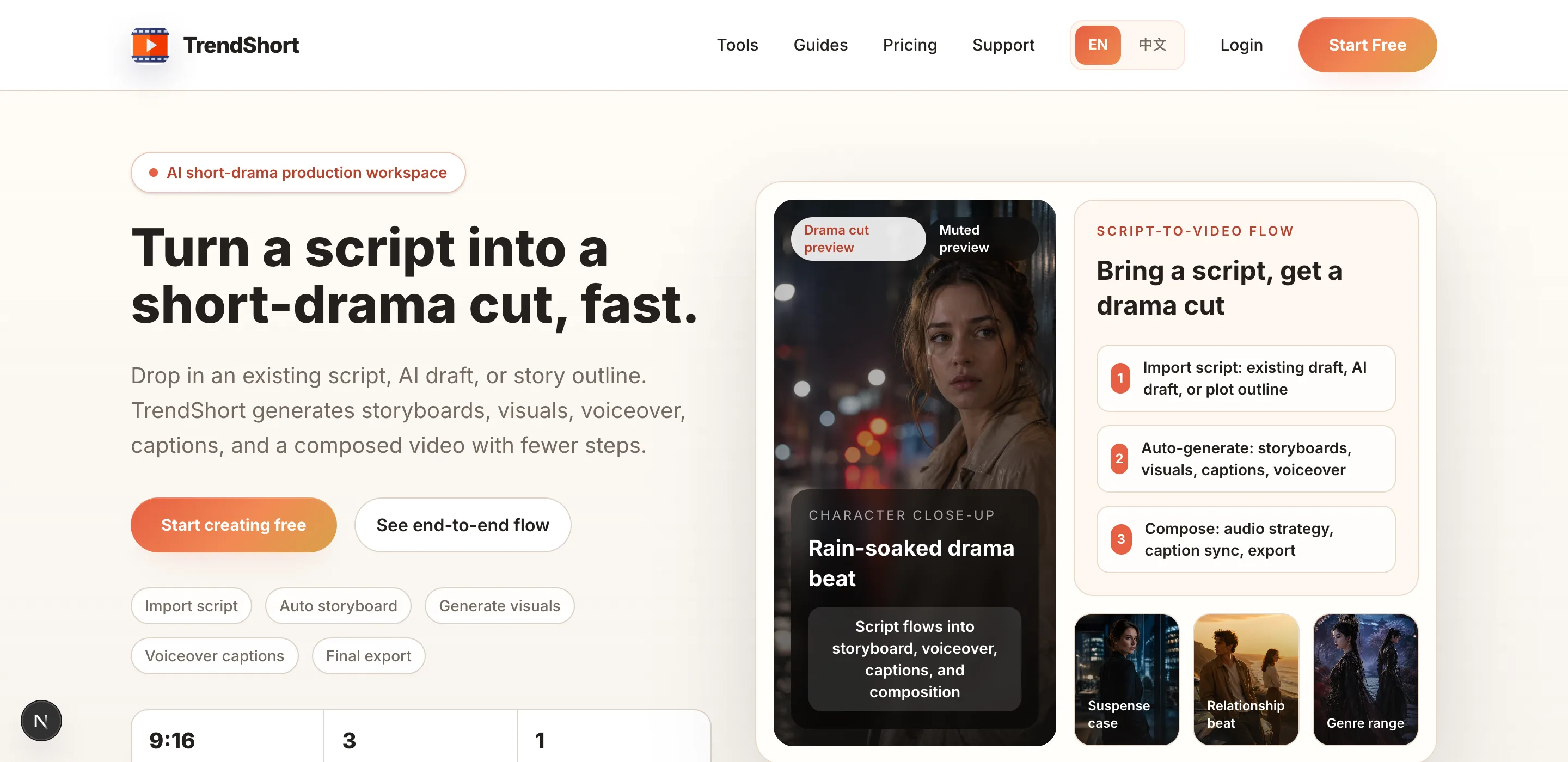
Start from the main TrendShort entry
The homepage shows the core path: bring a script, generate storyboards and visuals, then export a short-drama cut.
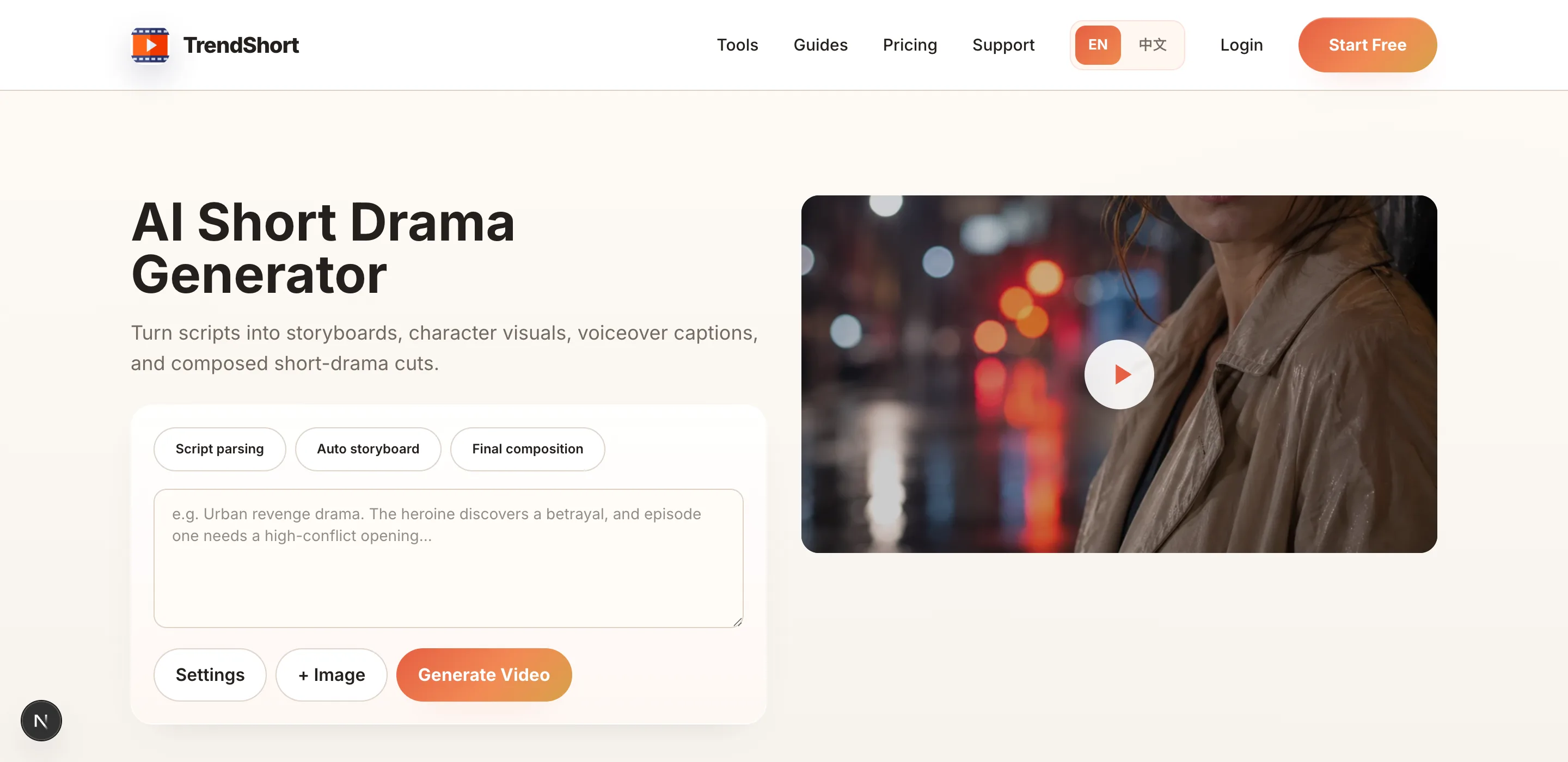
Use the AI video workflow page as a map
The tool page summarizes how script import, storyboard generation, visual generation, voiceover, captions, and composition fit together.
Step-by-step workflow
Each step is paired with the interface you should use.
Start from a script or plot outline
Use an existing script, an AI draft, or a compact plot outline. The first goal is not a perfect script; it is enough structured story material for TrendShort to split into shots.
Create a short-drama project
Open TrendShort, choose New Short Drama, paste the story material, then continue into Studio. Keep the first project short so you can evaluate the workflow quickly.
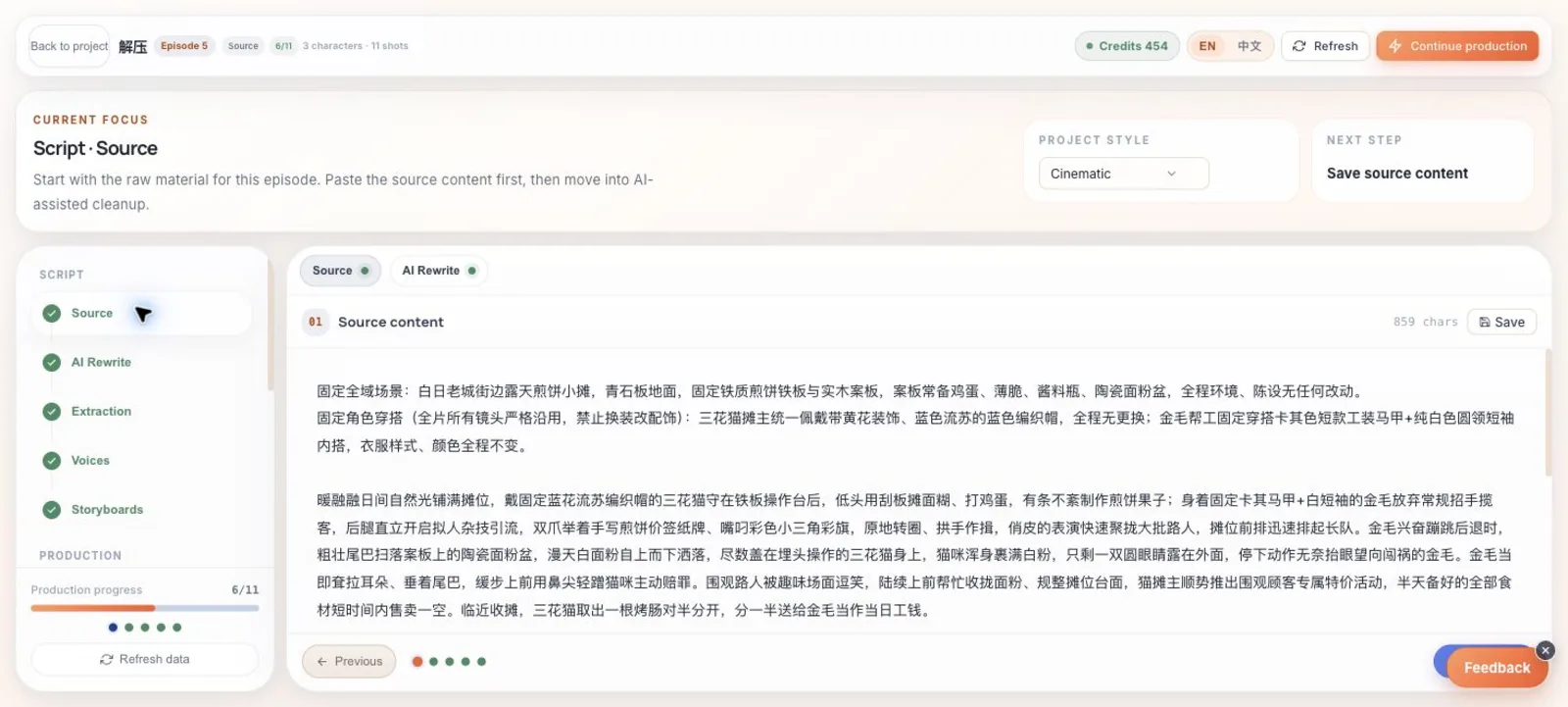
Enter Studio and start from the source material
Studio keeps the project steps on the left, the current task at the top, and the editable source material in the main workspace.
Review the generated storyboard
Confirm that each shot has a clear action, character, and scene. Fix obvious story mistakes before spending credits on image or video generation.
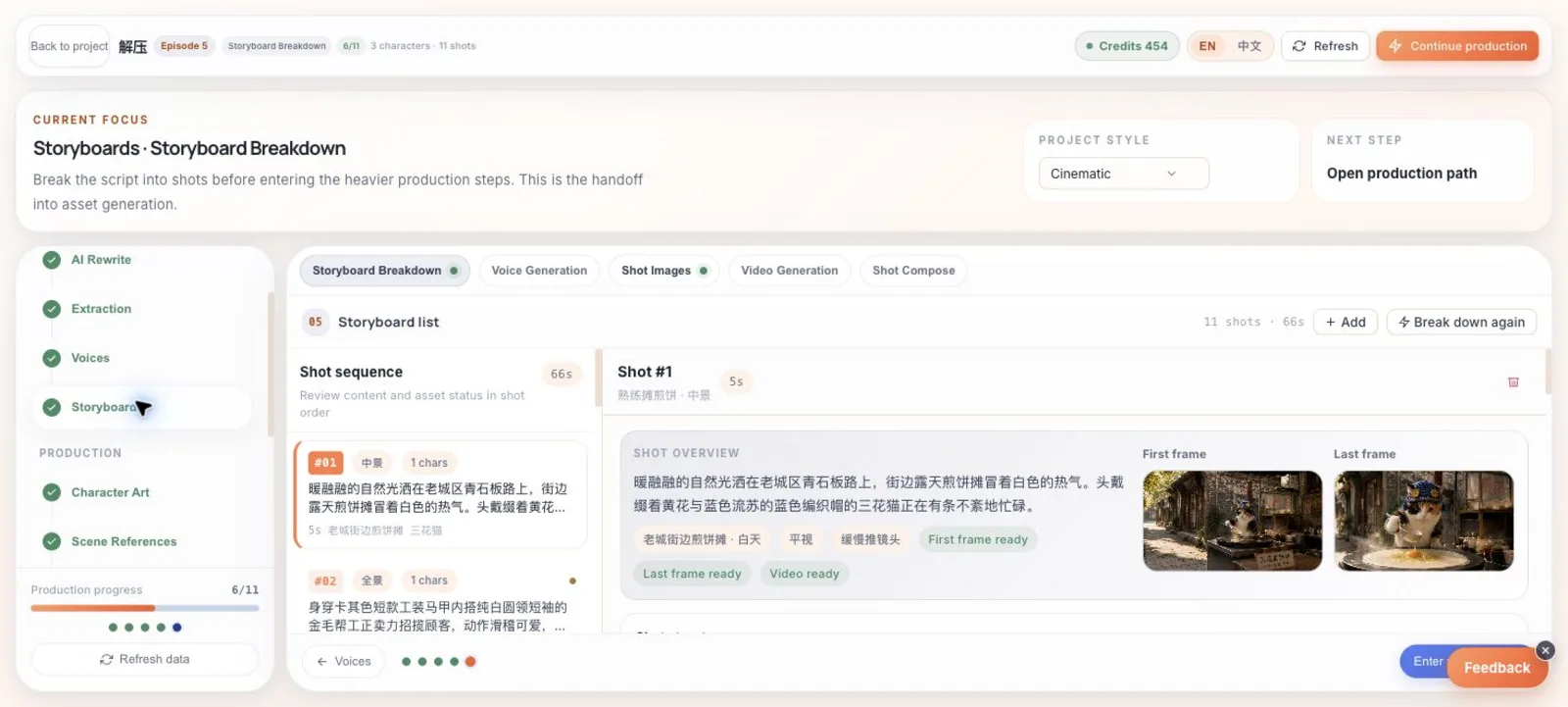
Review the storyboard before generation
The storyboard view shows each shot, duration, characters, generated frame status, and the prompt fields that control later image and video generation.
Generate key frames before video
Use first and last frames to lock the start and landing state of a shot. Only move to video generation when the frame direction is already close enough.
Compose a reviewable cut
After the shots are ready, choose an audio strategy, compose the episode, and review pacing, captions, voices, and visual consistency together.
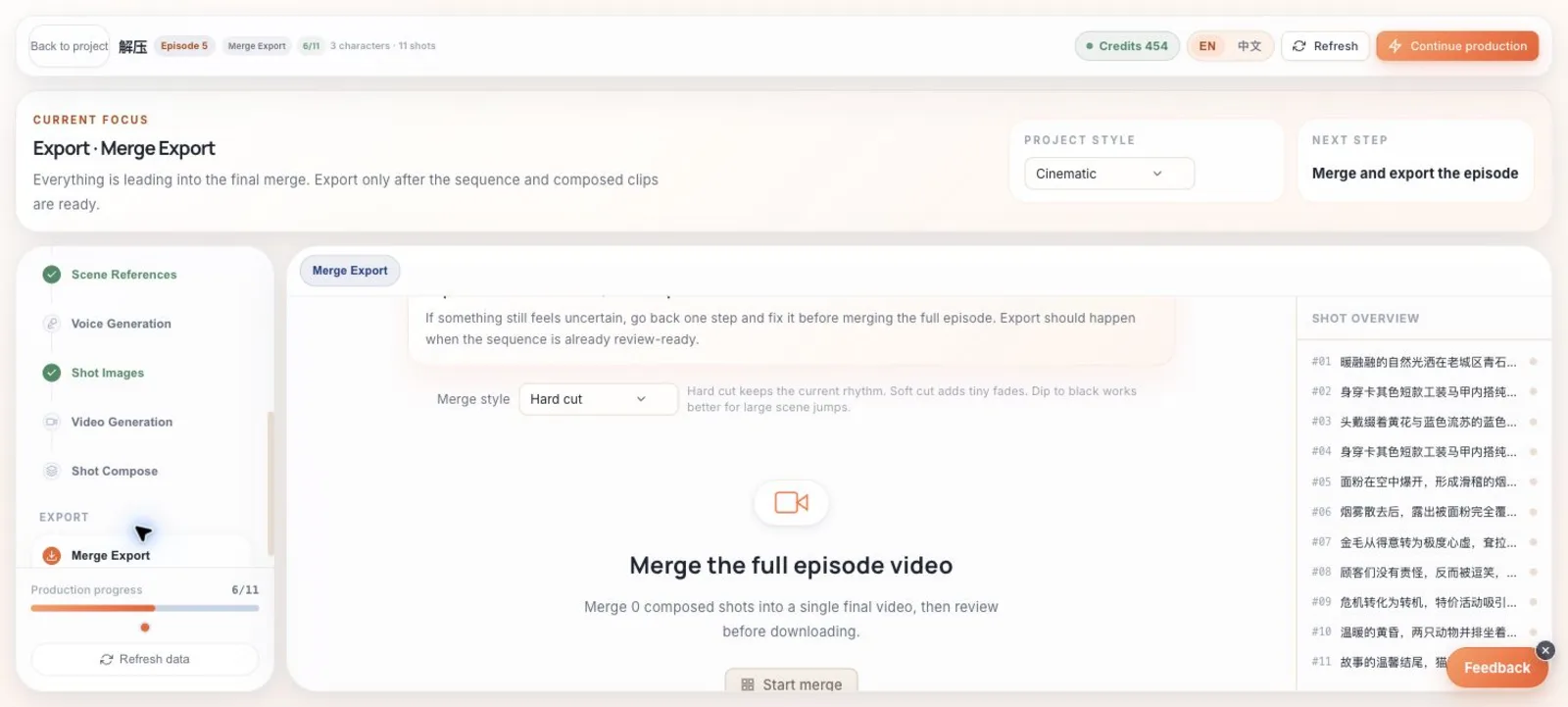
Use export as the final checkpoint
The export step lets you choose the stitching style and assemble the episode only after the shot sequence is ready for review.
Next guide
Studio workflow guide
Understand what each Studio step is for, when to use it, and which actions should happen before expensive generation.