
Studio workflow guide
Understand what each Studio step is for, when to use it, and which actions should happen before expensive generation.
Step-by-step workflow
Each step is paired with the interface you should use.
Script
Use this step to keep the source story readable. If the script is messy, rewrite it before extracting roles, scenes, and shots.

Start with a readable episode source
The original content step is where users paste or refine the episode source before AI rewriting, extraction, and production begin.
Characters and scenes
Check character names, relationships, scene locations, and visual style early. These details affect image prompts, video prompts, and voice assignment later.
Storyboard
The storyboard is the control layer. Each shot should describe one focused action and a clear result, not several unrelated events.
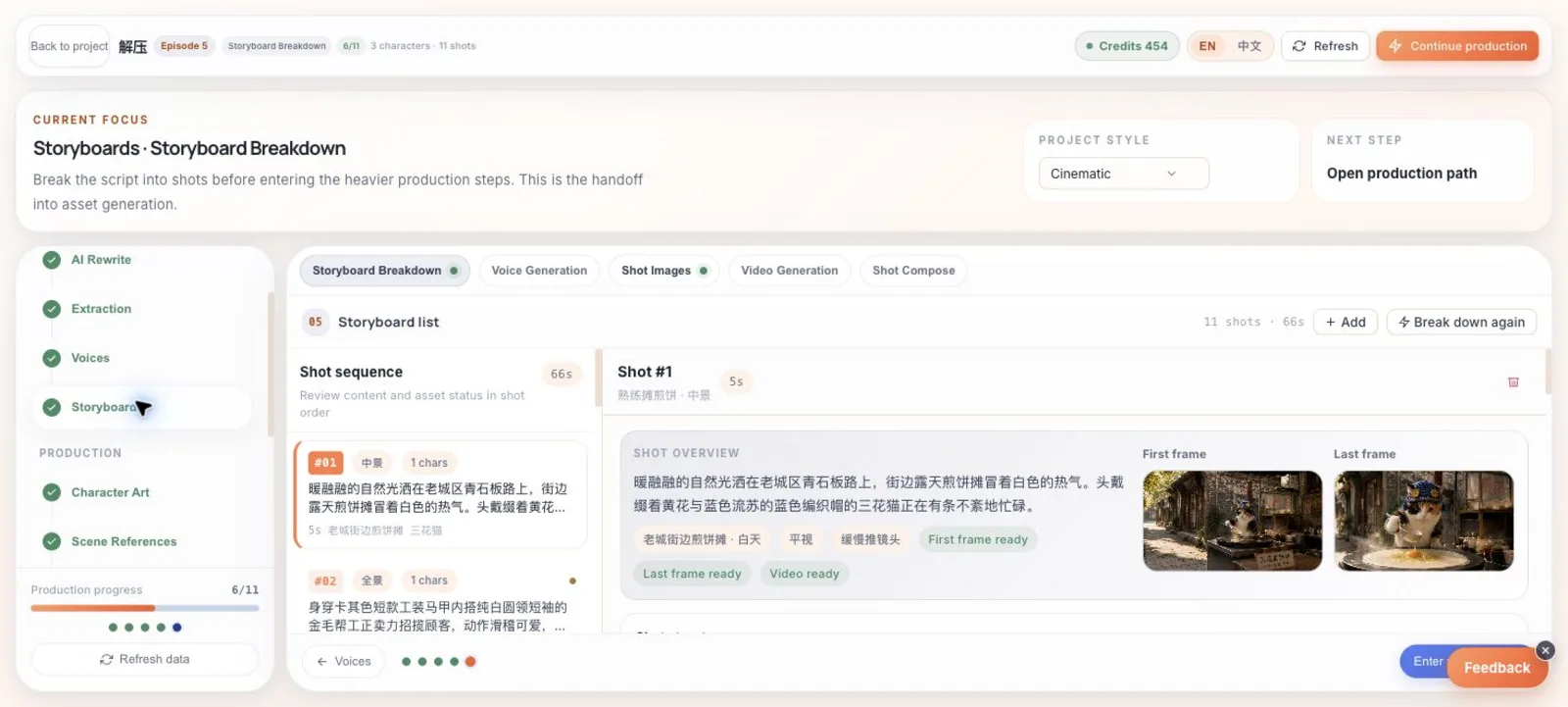
Use the storyboard as the control layer
The storyboard page connects shot order, duration, characters, frame status, action, landing result, and generation prompts in one place.
Shot images
Generate first and last frames when you need video continuity. Use batch generation only after prompts are stable enough to avoid wasting credits.
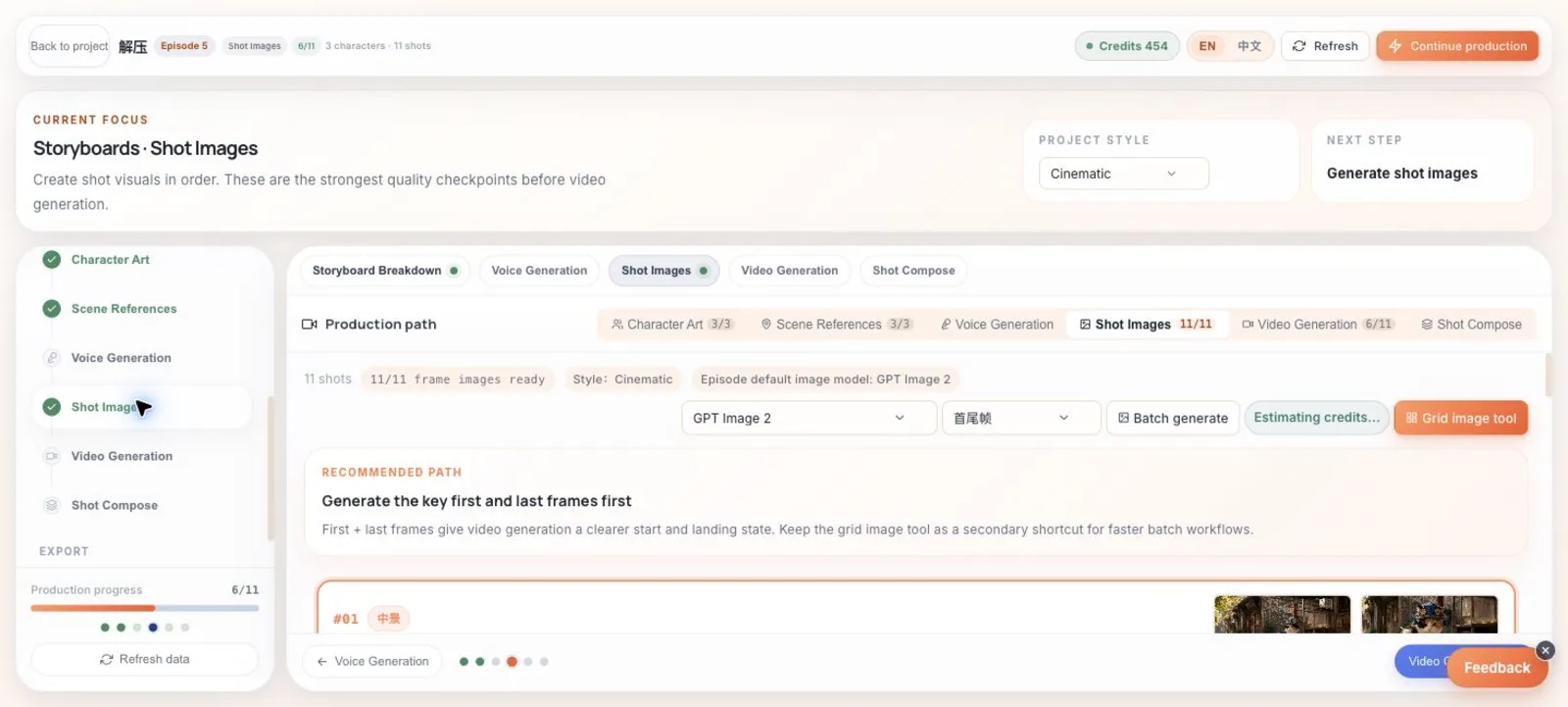
Lock key frames before video
The shot images step supports first-last frame generation, batch generation, model selection, credit estimates, and manual uploads.
Video, voice, and composition
Generate videos after the key frames are acceptable. Assign voices after dialogue stabilizes. Compose only the shots that are ready for a full review.
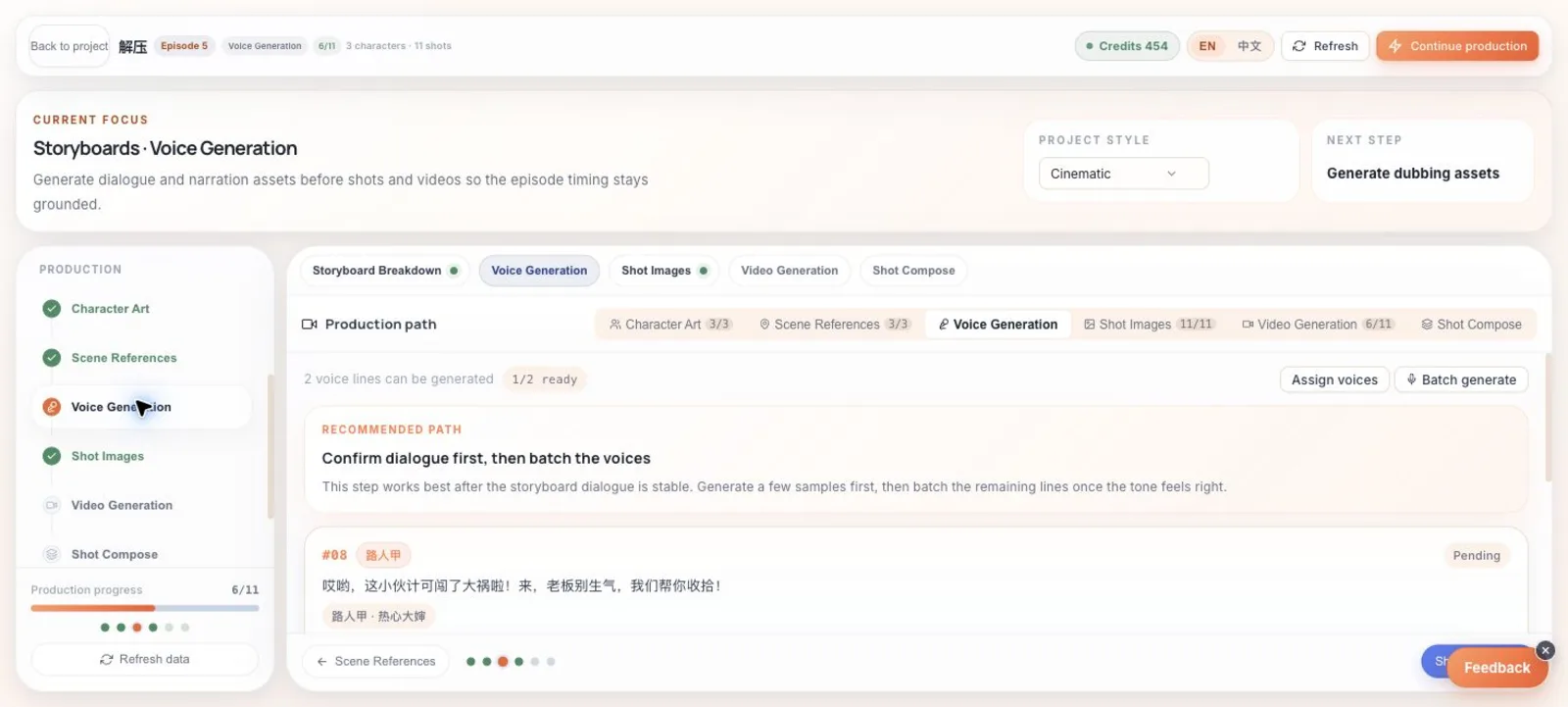
Generate voice only after dialogue stabilizes
The voice step shows which dialogue lines are ready, which voice is assigned, and whether the audio already exists.
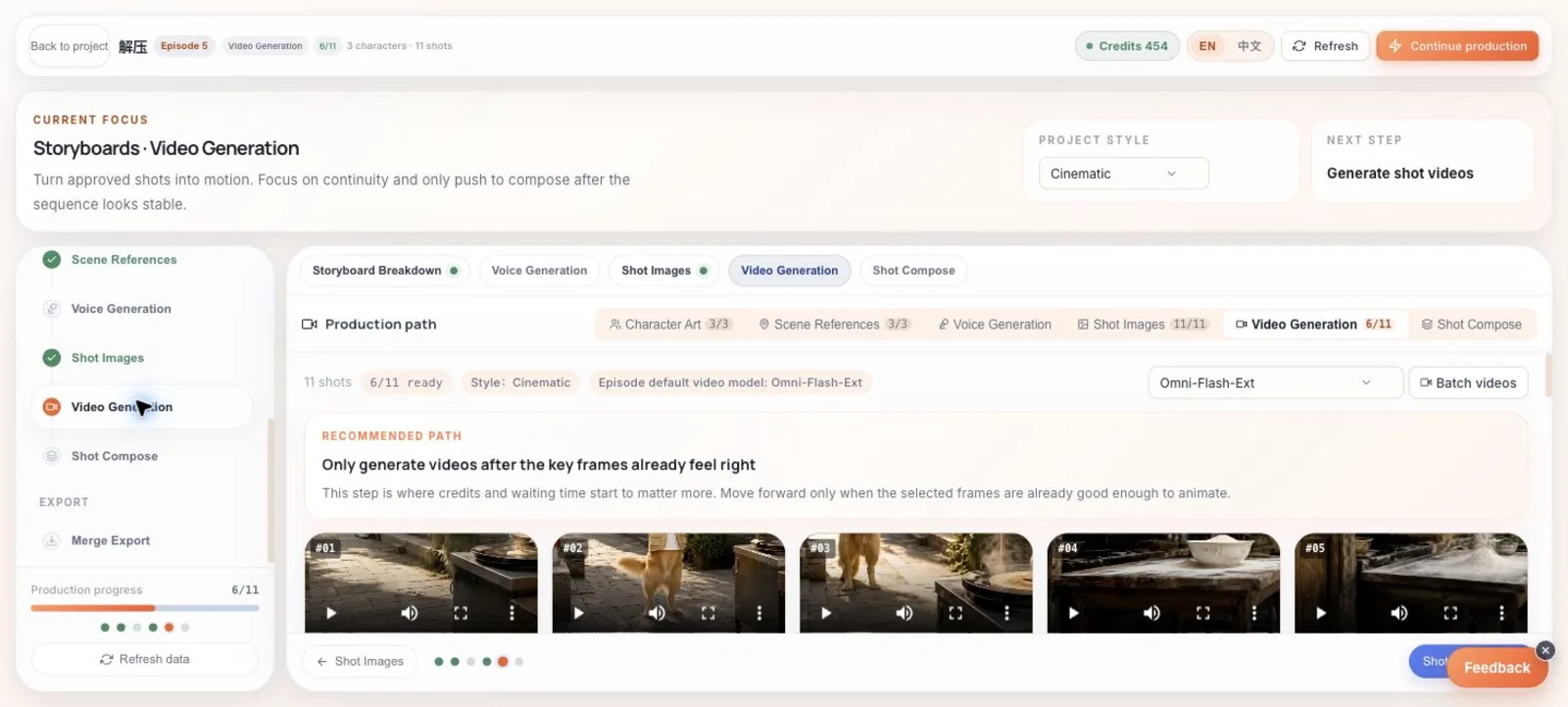
Generate video after frames are acceptable
The video step shows the selected model, batch action, generated count, and per-shot video previews for review.
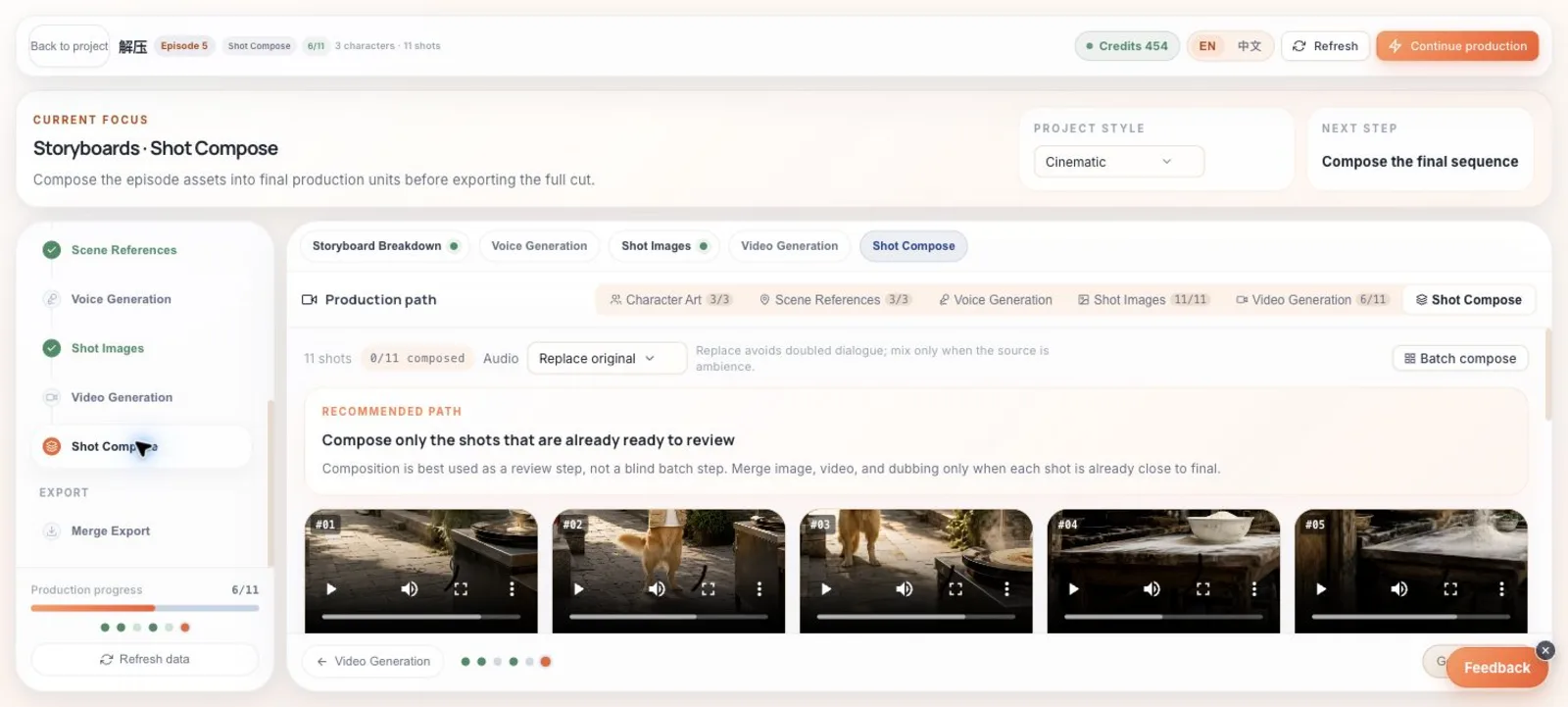
Compose shots as a review step
Composition combines prepared video and audio per shot, with an audio strategy control before batch composition.
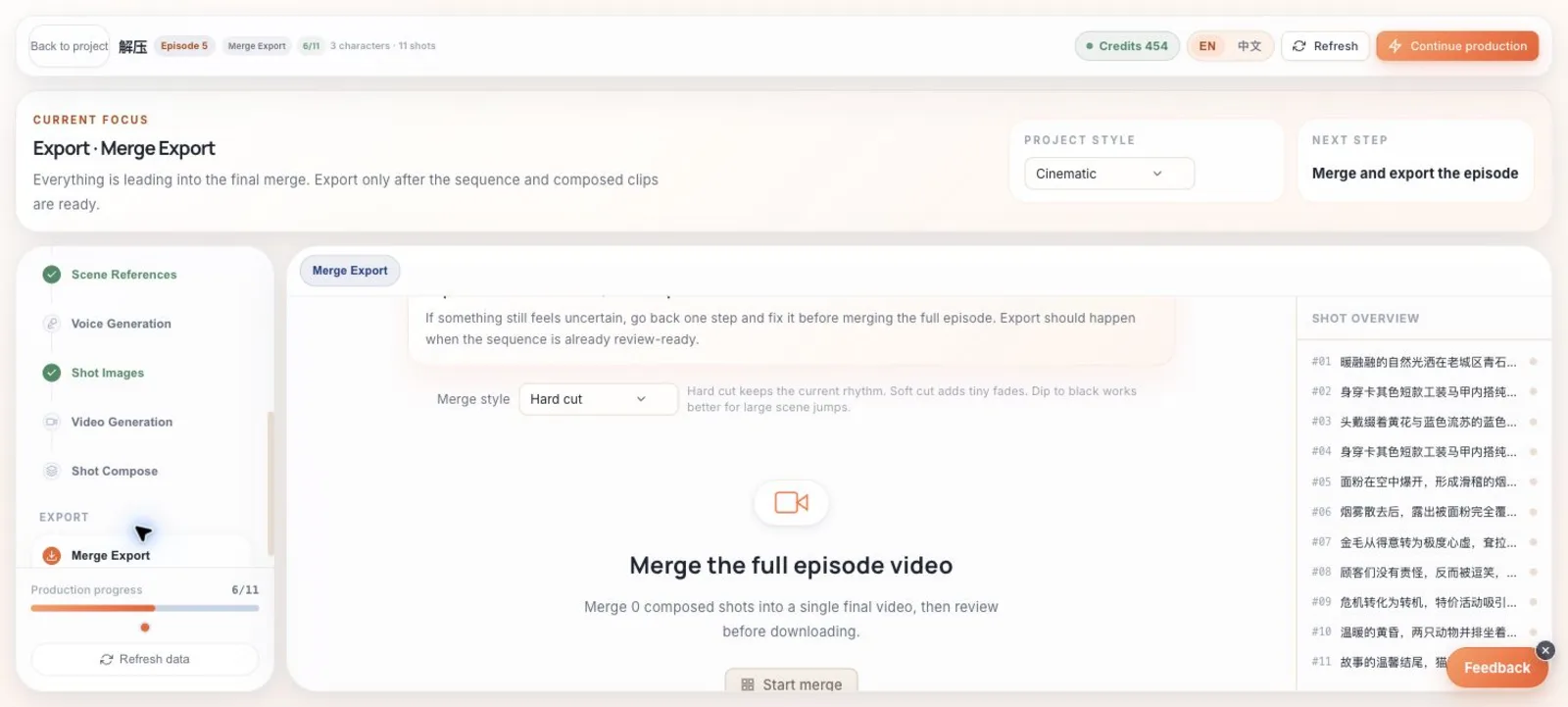
Choose a stitching style at export
The final export step exposes hard cut, soft transition, and dip-to-black choices before assembling the whole episode.
Next guide
Best practices for better results
Practical habits for improving character consistency, shot quality, video generation, voiceover, captions, and final composition.